
Bookkeeping Software Built for Canadian Accounting Firms
Streamline bookkeeping across every client from a single platform. LedgerNext automates transaction categorization, speeds up bank reconciliation, and turns clean data into CRA-ready financial and GST/HST reports — so your firm spends less time on data entry and more time advising clients.
- ✓ Multi-client workspaces
- ✓ Automated categorization
- ✓ CRA-ready reporting
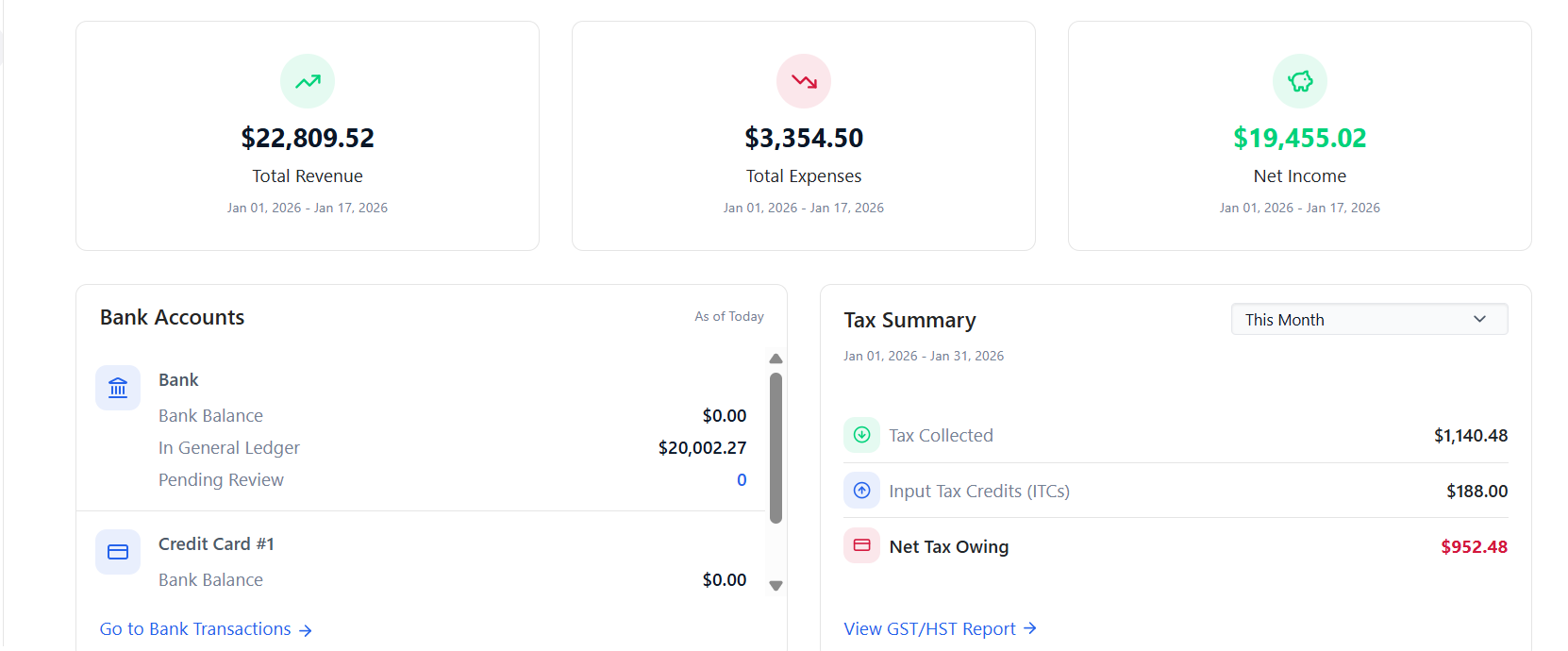
A Secure, Reliable Platform Modern Firms Can Build On
LedgerNext keeps every client’s books in an isolated, secure cloud workspace — so your firm can grow the number of clients it serves without adding spreadsheets, file servers, or risk.
Secure Cloud Platform
Every client’s books live in a fully isolated workspace protected by role-based access, magic-link sign-in, and two-factor authentication. No client ever sees another client’s data.
Reliable, Accurate Data
Double-entry accounting keeps every journal balanced, and import wizards confirm that debits equal credits before anything posts. Your trial balance always ties out.
Scales With Your Firm
Add clients without adding overhead. One firm account manages dozens of client companies, with team roles and assignments that grow alongside your practice.
Everything Your Firm Needs to Keep Clean Books
From importing bank transactions to delivering finished financial statements, LedgerNext covers the full bookkeeping workflow for every client your firm manages.
Automated Transaction Categorization
Build rules that match bank activity by amount, memo, payee, or reference and categorize it automatically — splitting a transaction across accounts, recording a transfer, or flagging a tax payment. Rules can be applied retroactively to transactions you have already imported.
Bank Reconciliation
Reconcile each account one statement at a time. Enter the beginning and ending balance, tick off cleared transactions, and LedgerNext tracks the difference until it reaches zero. A full summary and history is kept for every account.
Multi-Client Management
Manage every client company from one firm account, each in its own isolated workspace. Add, archive, and restore clients, and assign the right team members to each engagement.
Client Collaboration Portal
Invite clients to a separate secure portal where they can review the financial reports you share and exchange documents with your team. You control who has access and can deactivate it at any time.
Financial Reporting
Produce Trial Balance, Profit & Loss, Balance Sheet, Cash Flow, and General Ledger reports, plus a full set of GST/HST and tax-audit reports. Every report exports to PDF or Excel for filing and client delivery.
Team Workflow Management
Set up your firm with Owner and Accountant roles, invite team members by email, and assign them to specific clients. Activity logging keeps a clear record of who did what.
Clean Books in Three Clear Steps
LedgerNext follows the way Canadian bookkeepers already work — import, review, and report — with automation built into every stage.
-
01
Connect Accounts & Import Transactions
Set up each client’s chart of accounts from a template or CSV import, then bring in bank and credit card activity through a guided statement-import wizard. Historical general ledger data can be imported across multiple years.
-
02
Categorize, Reconcile & Review
Let transaction rules categorize bank activity automatically, then review, split, or reclassify anything that needs a closer look. Reconcile each account against its statement so every balance ties out.
-
03
Generate Reports & Deliver Accurate Books
Produce financial statements, GST/HST summaries, and tax-audit reports in a click. Export them to PDF or Excel, or share them with clients through the collaboration portal.
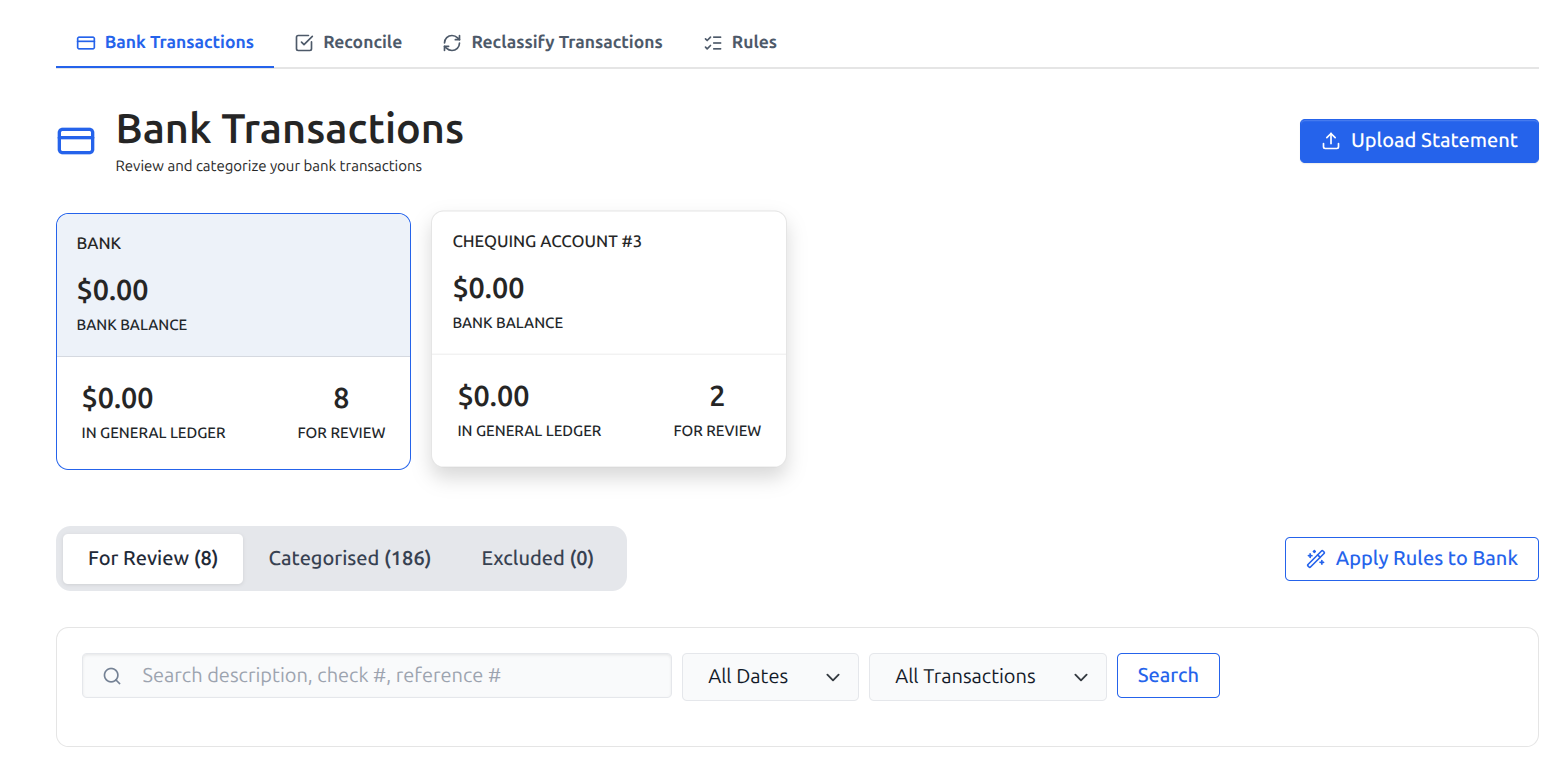
Stop Categorizing the Same Transactions by Hand
Import a client’s bank or credit card statement by CSV and LedgerNext walks you through mapping the columns. Transaction rules then match incoming activity by amount, memo, payee, or reference and apply the action you defined — so recurring transactions are categorized the moment they arrive, and you only touch the exceptions.
- ✓ Guided CSV statement import with column mapping
- ✓ Pattern-match rules on amount, memo, payee, or reference
- ✓ Categorize, split, transfer, mark as tax payment, or exclude
- ✓ Apply rules retroactively to transactions already imported
- ✓ Review and reclassify from clear status tabs
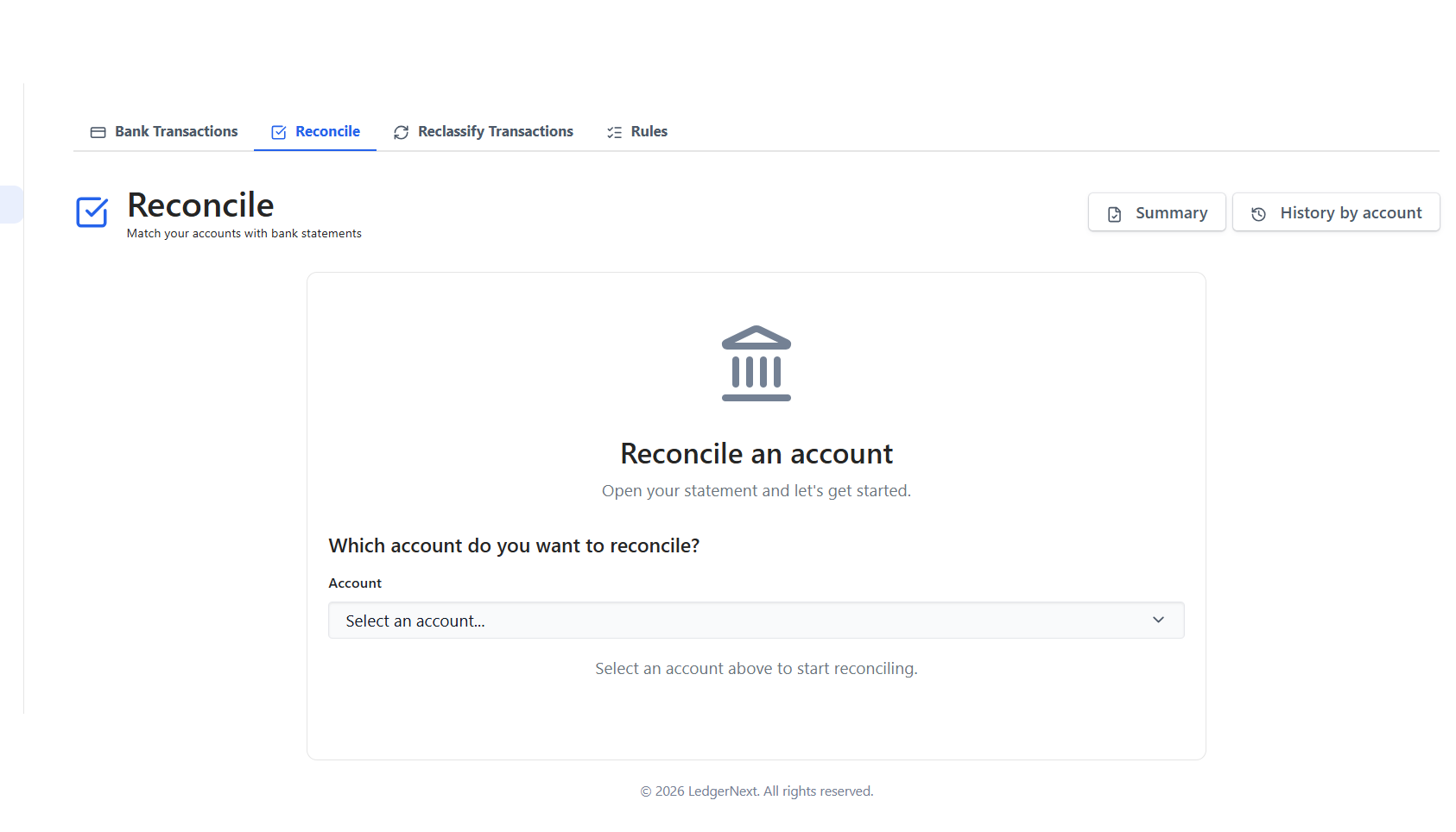
Reconcile Every Account With Confidence
LedgerNext reconciles accounts the way auditors expect — one statement at a time. Enter the beginning and ending balance, match cleared transactions against the statement, and watch the uncleared difference move toward zero. Completed reconciliations are saved with a full history so you can always show your work.
- ✓ Statement-by-statement reconciliation per account
- ✓ Beginning and ending balance tracking
- ✓ Cleared and uncleared transaction matching
- ✓ Save in progress and resume later
- ✓ Reconciliation summary and history for every account
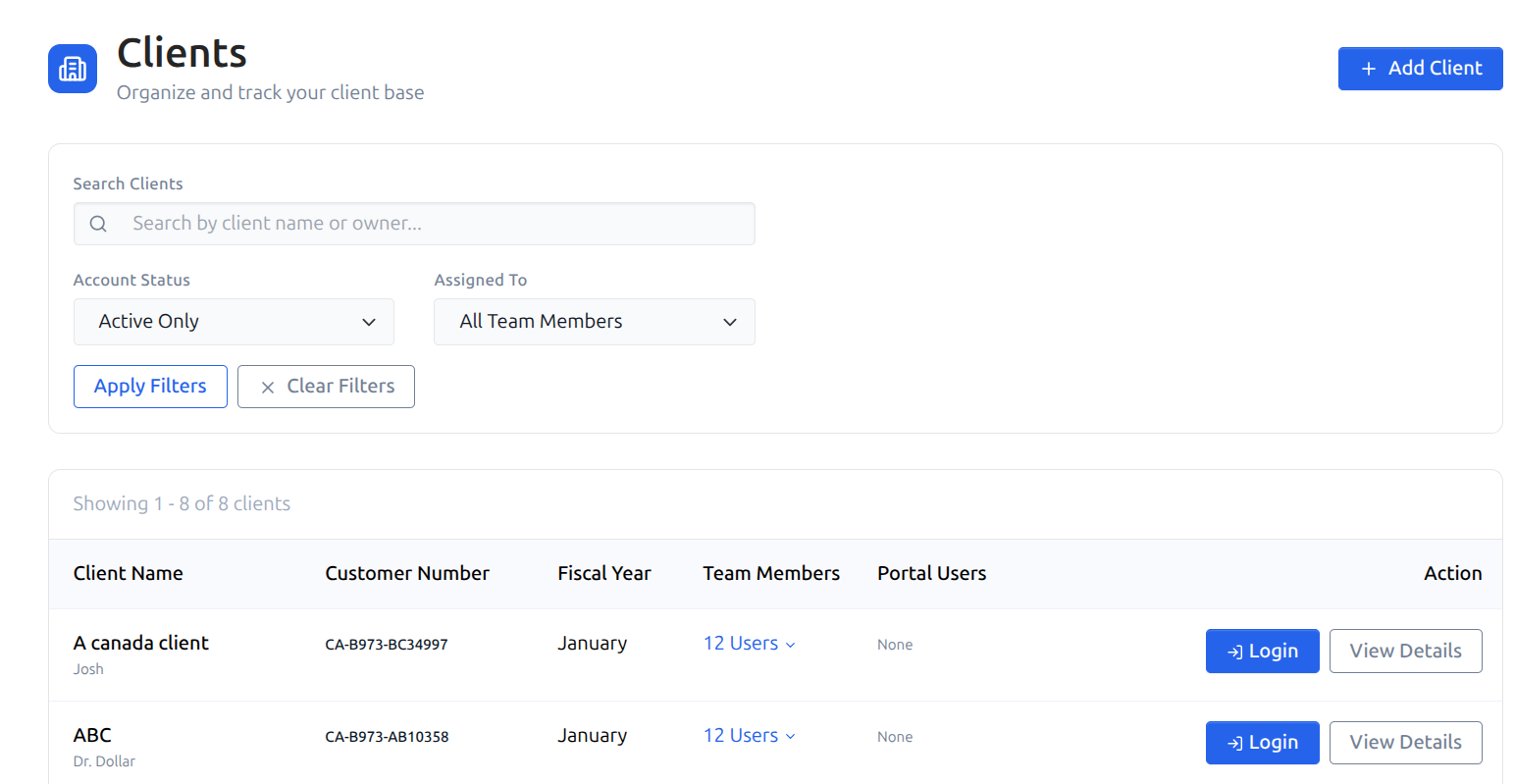
Every Client’s Books, One Firm Account
Run your whole practice from a single firm account. Each client company is a fully isolated workspace, so nothing bleeds across engagements. Add new clients as you win them, archive the ones you no longer serve, and assign the right team members to each file.
- ✓ One firm account for every client company
- ✓ Fully isolated workspace per client
- ✓ Add, archive, and restore clients as engagements change
- ✓ Assign specific team members to each client
- ✓ Switch between clients without losing context
Share Reports and Documents Without the Email Chains
Invite each client to their own secure portal by email. From there they can review the financial reports you have shared and upload or download documents, while your team works in organized folders on the other side. You decide exactly what each client sees and can activate or deactivate access whenever you need to.
- ✓ Separate secure portal, invited by email
- ✓ Read-only financial reports for clients
- ✓ Two-way document upload and download
- ✓ Hierarchical folders with bulk upload
- ✓ Activate or deactivate client access at any time
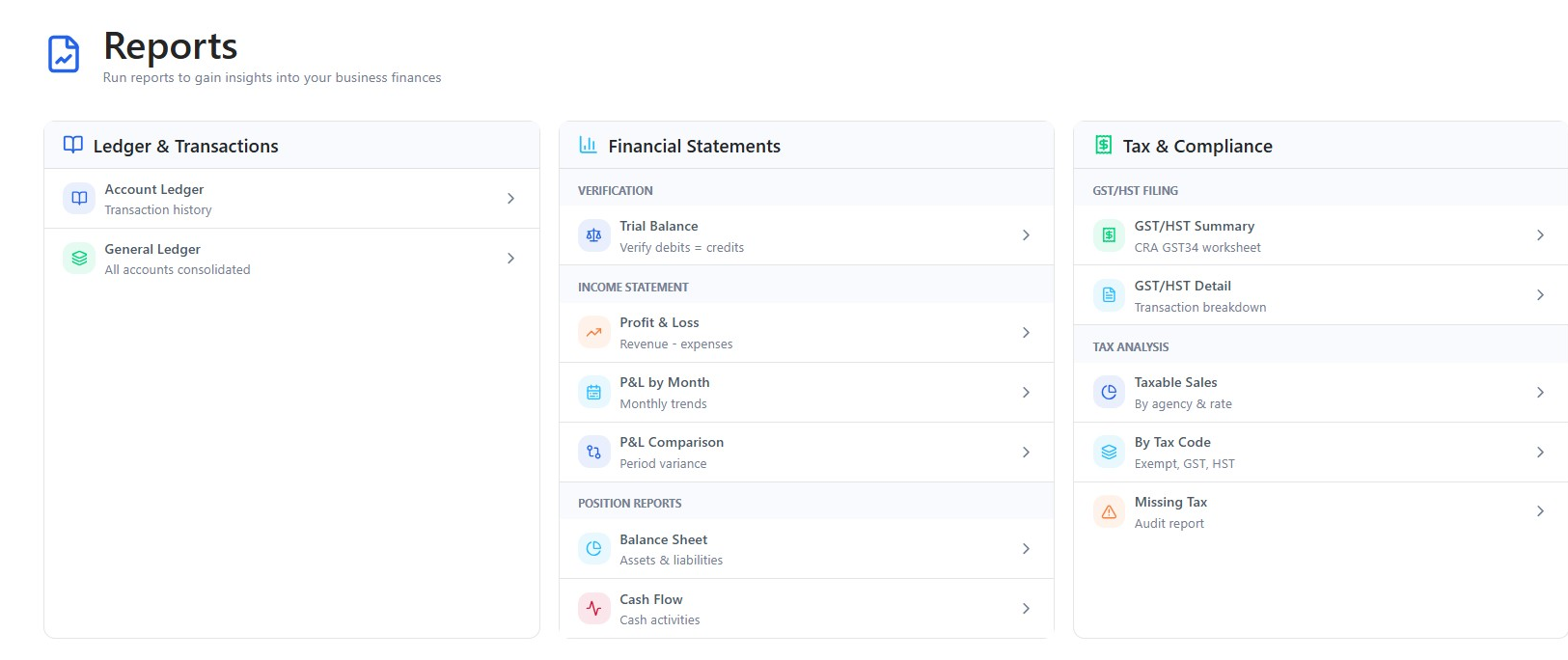
From Trial Balance to GST/HST — Reports Ready to File
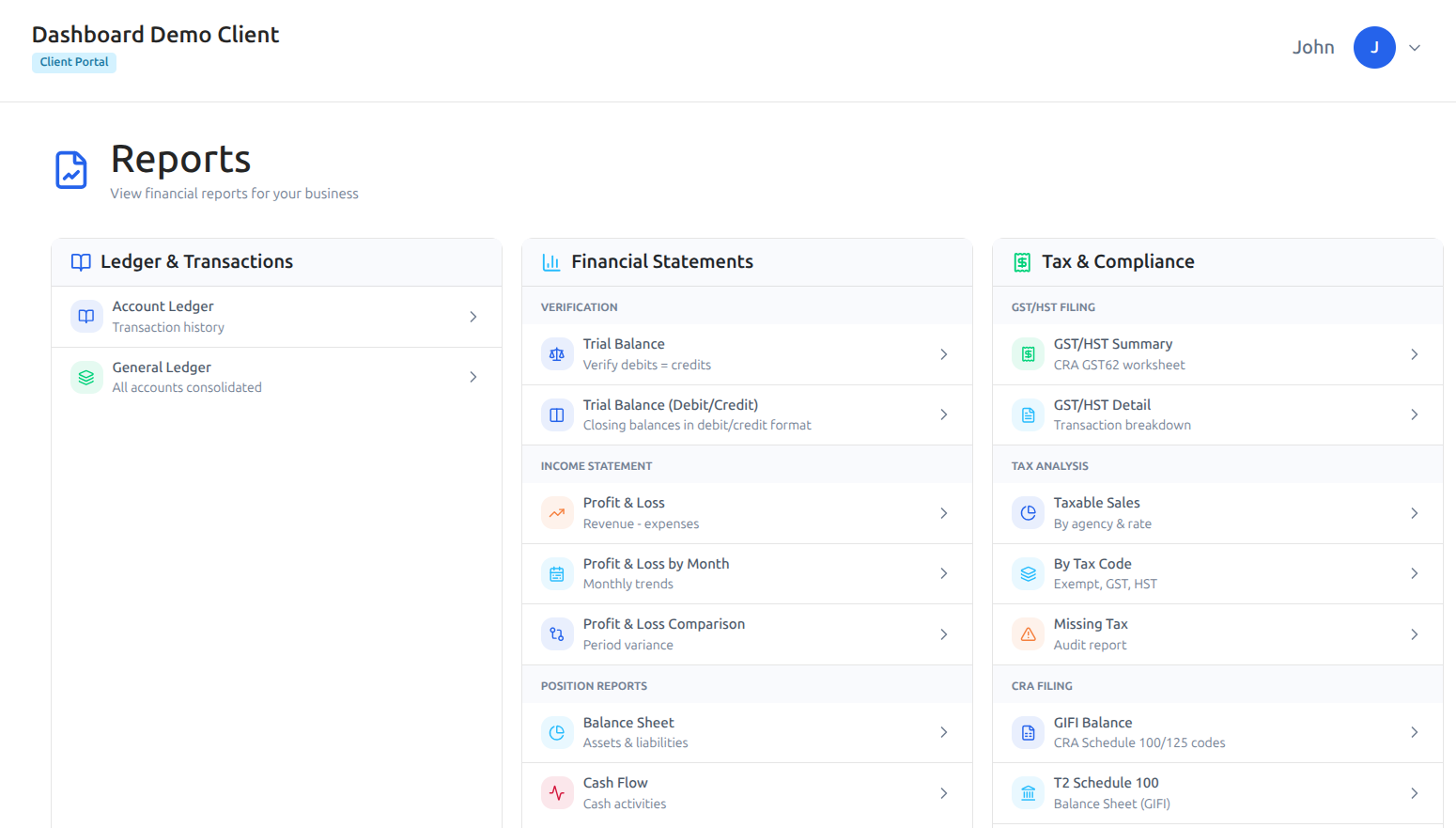
LedgerNext turns categorized, reconciled data into a complete reporting suite. Run financial statements for any period, drill into the general ledger, and produce a GST/HST Summary laid out as the CRA GST34 worksheet. Tax-audit reports flag transactions missing tax codes before they become a filing problem, and everything exports to PDF or Excel.
- ✓ Trial Balance, Profit & Loss, P&L by Month and Comparison
- ✓ Balance Sheet, Cash Flow, and General Ledger
- ✓ GST/HST Summary mapped to the CRA GST34 worksheet
- ✓ Taxable Sales, By Tax Code, and Missing Tax audit reports
- ✓ GIFI balances and Schedules 100 and 125; export to PDF or Excel
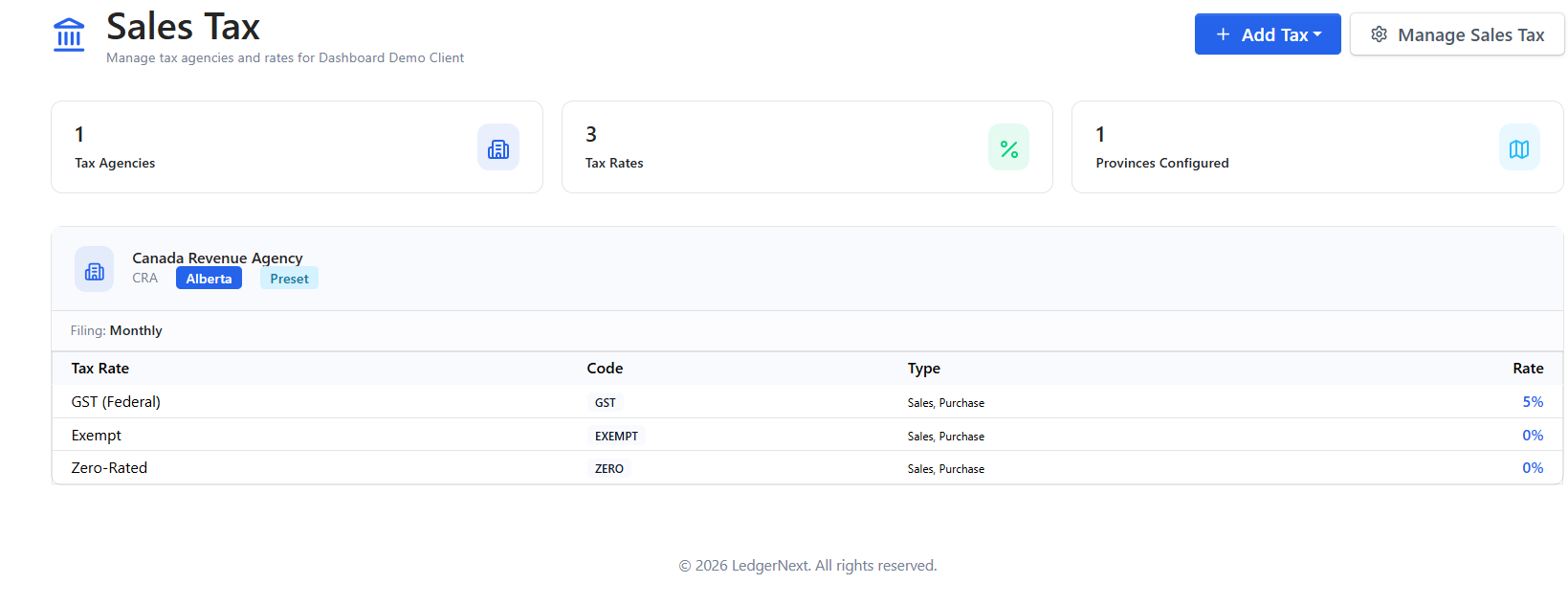
GST/HST Set Up Right for Every Province
Configure sales tax by province and LedgerNext sets up the tax agency, rates, and groups for you. Every transaction is tagged with the correct tax treatment, so a client’s GST/HST position is always current — and ready when it is time to file.
- ✓ Province-based GST/HST setup with sensible presets
- ✓ Tax agencies, rates, and groups managed in one place
- ✓ Monthly, quarterly, or annual filing frequency
- ✓ Instalments and input tax credit (ITC) tracking
- ✓ Filing adjustments kept with the return
“As a CPA, accuracy and data security are non-negotiable for me. LedgerNext brings structure and clarity to workflows that are usually time-consuming and error-prone. From bank reconciliation to tax-ready data and client management, the platform is built with a deep understanding of how accounting firms actually work.”
-
LedgerNext brings the whole bookkeeping workflow into one platform — importing bank transactions, categorizing them with rules, reconciling accounts, and generating financial and GST/HST reports. Because every client lives in their own workspace, your firm can manage many clients without juggling separate files or spreadsheets.
-
Yes. LedgerNext is built for firms. One firm account manages all of your client companies, each in a fully isolated workspace. You can add, archive, and restore clients, and assign specific team members to each one.
-
Reconciliation is done one statement at a time. You enter the beginning and ending balance for the period, match cleared transactions against the statement, and LedgerNext tracks the difference until it reaches zero. Every completed reconciliation is saved with a summary and full history for the account.
-
LedgerNext generates Account Ledger, General Ledger, Trial Balance, Profit & Loss (including by month and comparison), Balance Sheet, and Cash Flow reports. For tax, it produces a GST/HST Summary mapped to the CRA GST34 worksheet, GST/HST Detail, Taxable Sales, By Tax Code, and a Missing Tax audit report, plus GIFI balances and schedules. All reports export to PDF or Excel.
-
Every client’s books are stored in an isolated workspace with role-based access control, magic-link authentication, and two-factor authentication. There is no cross-client visibility by design — a team member only sees the clients they are assigned to, and clients only see what you share with them through the portal.
-
Pricing scales with the number of clients your firm manages, with firm-friendly plans designed to grow with your practice. Getting started is straightforward — import each client’s chart of accounts from a template or CSV and bring in historical general ledger data across multiple years. Request a demo and we will walk through a plan and onboarding timeline for your firm.
Ready to Modernize Your Bookkeeping Workflow?
Bring every client’s books onto one secure platform — automate the data entry, reconcile with confidence, and deliver reports your clients can rely on. See how LedgerNext fits your firm.
Request a Demo