

It’s the last week of February. You’re staring at a stack of contractor invoices, a payroll summary that doesn’t quite reconcile, and a CRA filing deadline that’s uncomfortably close.
One question keeps surfacing: does this person get a T4 or a T4A?
You’re not alone. This is one of the most common — and most consequential — mix-ups in Canadian payroll reporting. Both slips report income to the CRA, but they serve fundamentally different purposes.
Issue the wrong one, and you’re not just creating a paperwork headache. You’re inviting reclassification risk, potential penalties, and a trail of inconsistent records that can haunt your books for years.
This guide breaks down exactly what each slip covers, when to use which, the mistakes that trip up even experienced operators, and how clean payroll workflows keep you on the right side of CRA compliance.
By the end, you should walk away thinking: I clearly understand when to use T4 vs T4A and what mistakes to avoid.
What Is a T4 Slip?
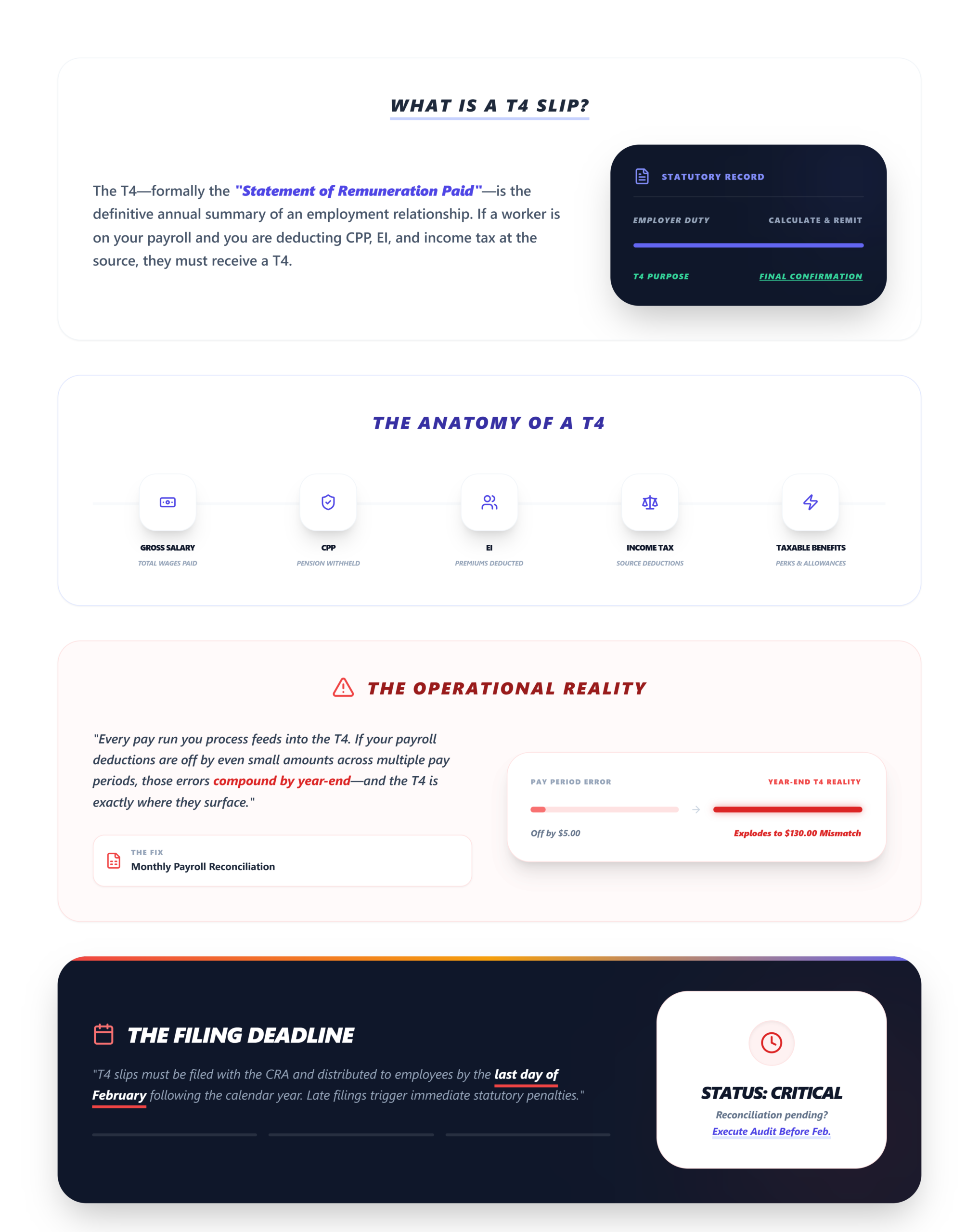
A T4 slip — formally the “Statement of Remuneration Paid” — is issued to employees.
If someone is on your payroll and you’re deducting Canada Pension Plan (CPP) contributions, Employment Insurance (EI) premiums, and income tax at source, they get a T4.
The T4 captures the full picture of an employment relationship from a tax reporting perspective:
- Salary and wages paid during the calendar year
- CPP contributions (both employee and employer portions)
- EI premiums deducted
- Income tax withheld at source
- Taxable benefits, pension adjustments, and other employment-related amounts
As the employer, you’re responsible for calculating, withholding, and remitting these deductions to the CRA throughout the year. The T4 slip is essentially the annual summary confirming you’ve done that correctly.
Every pay run you process feeds into the T4. If your payroll deductions are off by even small amounts across multiple pay periods, those errors compound by year-end — and the T4 is where they surface. This is why payroll reconciliation workflows matter long before February rolls around.
Filing deadline: T4 slips must be filed with the CRA by the last day of February following the calendar year.
What Is a T4A Slip?
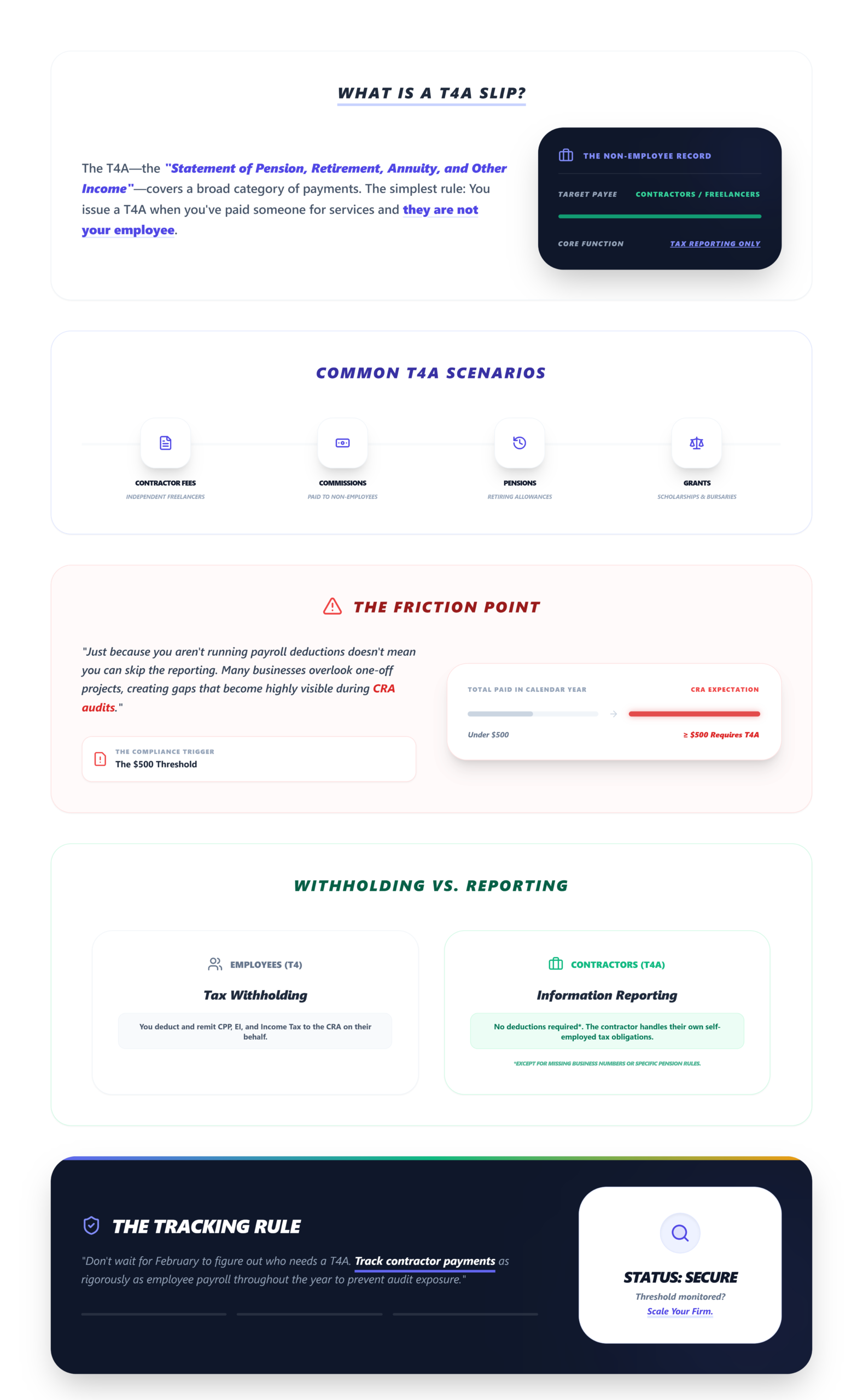
A T4A slip — the “Statement of Pension, Retirement, Annuity, and Other Income” — covers a much broader category of payments.
It’s most commonly associated with contractors and self-employed individuals, but its scope extends well beyond that. You issue a T4A when you’ve paid someone for services and they are not your employee.
Common T4A scenarios include:
- Fees for services paid to independent contractors or freelancers
- Commissions paid to non-employees
- Pension or superannuation payments
- Retiring allowances
- Research grants, scholarships, or bursaries (in certain cases)
Here’s the critical distinction: in many contractor relationships, you are not withholding CPP, EI, or income tax. The contractor is responsible for their own tax obligations, including self-employed CPP contributions. The T4A simply reports what you paid them.
That said, there are exceptions. Some T4A payments do require tax withholding — pension income, for instance. And in certain situations, the CRA may require you to withhold tax on contractor payments if the contractor hasn’t provided a valid business number.
T4 vs T4A: Key Differences
This is the section to bookmark. Here’s a direct, side-by-side breakdown:
The T4 Slip
- Issued To: Employees
- Type of Income: Employment income (salary, wages, taxable benefits)
- CPP & EI: Employer withholds and remits employee CPP and EI
- Income Tax Withholding: Mandatory — deducted at source every pay period
- Payroll Deductions: Full payroll deductions apply
- Reporting Purpose: Confirms employment income and deductions remitted to CRA
- CRA Classification: Employer-employee relationship
- Common Errors: Incorrect deduction amounts, missing taxable benefits
The T4A Slip
- Issued To: Contractors, self-employed, pension recipients, other non-employees
- Type of Income: Non-employment income (fees, commissions, pensions, retiring allowances)
- CPP & EI: Generally not deducted (contractor handles their own CPP); EI not applicable
- Income Tax Withholding: Not always required — depends on payment type and CRA guidelines
- Payroll Deductions: Typically no regular payroll deductions
- Reporting Purpose: Reports payments made outside an employment relationship
- CRA Classification: Independent/arm’s-length relationship
- Common Errors: Misclassifying employees as contractors, failing to file at all
The bottom line: T4 = employment relationship with payroll obligations. T4A = non-employment payments where the recipient typically manages their own tax remittances.
If you’re unsure which applies, the answer almost always comes down to one question: Is this person your employee, or are they operating independently?
When Should Businesses Use a T4 Instead of a T4A?
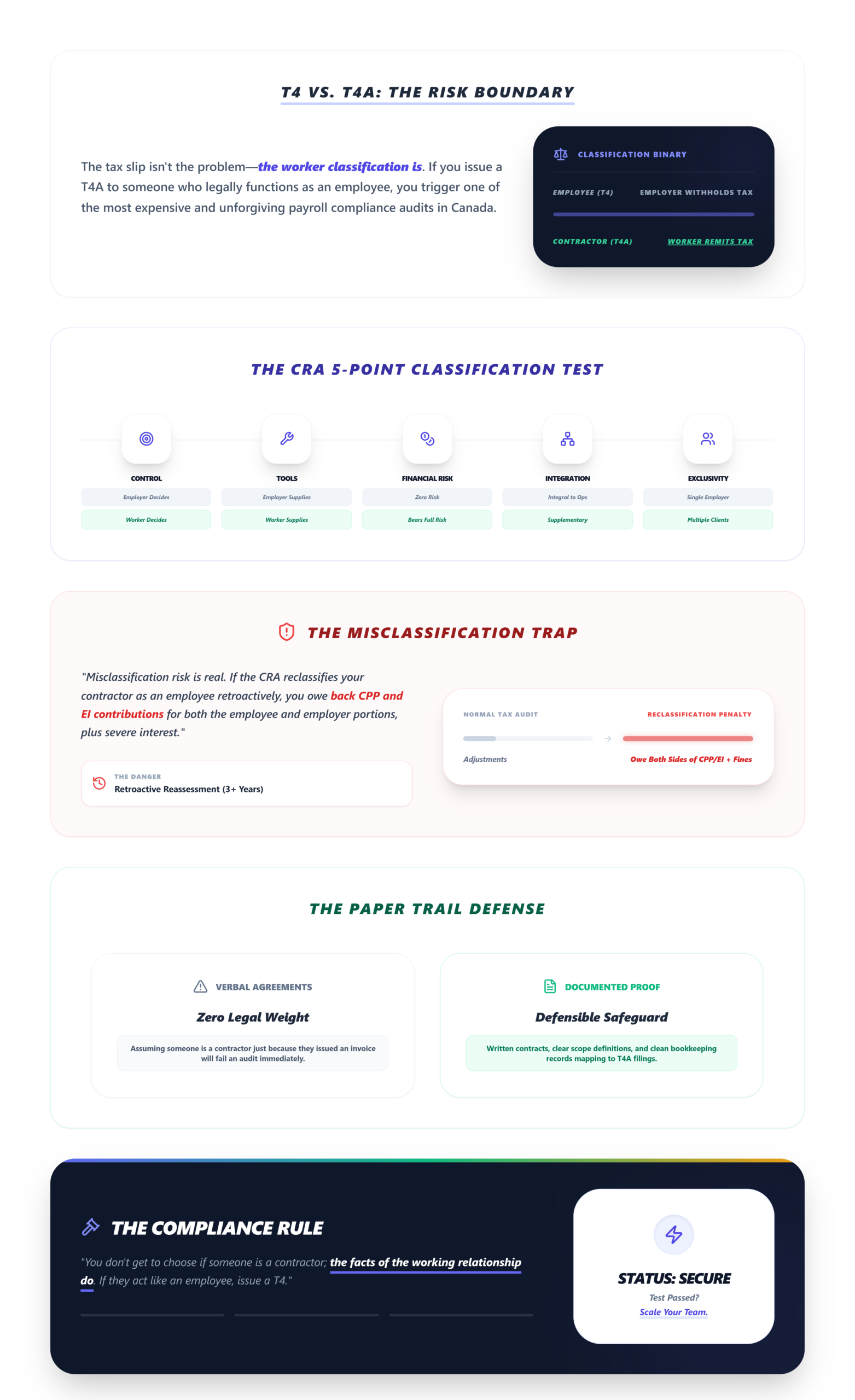
This is where businesses get into trouble — not because they don’t understand the slips, but because they haven’t properly classified the worker.
The CRA uses several factors to determine whether someone is an employee or an independent contractor:
- Control: Do you control how, when, and where the work gets done? That points to employment.
- Tools and equipment: Does the worker provide their own tools, or do you supply them? Employees typically use employer-provided resources.
- Financial risk: Does the worker bear any financial risk — the possibility of profit or loss? Contractors operate as their own business.
- Integration: Is the work an integral part of your business operations, or is it a supplementary service? Deeply integrated work suggests employment.
- Exclusivity and dependency: Does the worker serve multiple clients, or are they economically dependent on you?
If the answers lean toward employment, you need a T4 — along with all the payroll obligations that come with it: CPP, EI, income tax withholding, and employer contributions.
Misclassification risk is real. The CRA can reclassify a contractor as an employee retroactively. When that happens, you owe back CPP and EI contributions (both the employee and employer portions), plus interest and penalties. It’s one of the most expensive payroll compliance mistakes a Canadian business can make.
A practical safeguard: document the nature of every working relationship. Written contracts, scope definitions, and clear payment terms all support your classification decisions if the CRA comes asking. Keeping this documentation organized alongside your clean bookkeeping records creates a defensible paper trail.
Common T4 and T4A Mistakes Businesses Make
After years of watching businesses navigate year-end reporting, the same errors appear again and again:
- Contractor misclassification. Treating an employee as a contractor to avoid payroll obligations. The CRA looks at substance over form — calling someone a contractor in a contract doesn’t make them one if the working relationship says otherwise.
- Missing filing deadlines. Both T4 and T4A slips are due by the last day of February. Late filings trigger automatic penalties: $100 for each slip, up to a maximum of $7,500 for the first offense.
- Inaccurate reporting. Transposed numbers, incorrect SINs, wrong box codes. Small data errors create mismatches between your filings and the CRA’s records — which can trigger reassessments or correspondence audits.
- Reconciliation mismatches. The amounts on your T4 and T4A slips should tie back to your payroll records, your general ledger, and your remittance history. When they don’t, problems surface during financial reporting accuracy reviews.
- Inconsistent records. Paying a worker as a contractor for part of the year and as an employee for the rest — without adjusting your reporting — creates conflicting records that the CRA will flag.
- Failing to issue T4As for smaller payments. Many businesses assume that if a contractor only did a small project, no slip is needed. If you paid $500 or more in fees for services, a T4A is required.
How Proper Payroll Workflows Reduce Reporting Errors
Most T4 and T4A errors don’t originate at filing time. They accumulate throughout the year — in missed reconciliations, inconsistent data entry, and disconnected systems.
When your payroll workflow is structured properly, year-end reporting becomes a confirmation exercise rather than a scramble. Here’s what that looks like operationally:
- Payroll runs reconcile monthly against your general ledger, catching discrepancies before they compound.
- Contractor payments are tracked consistently, with proper documentation and classification applied at the point of engagement — not retroactively in January.
- Deduction calculations are verified against CRA tables each pay period, not just at year-end.
- Source documents — contracts, invoices, timesheets — are organized and accessible, supporting both your reporting and any potential CRA review.
This is where accounting workflow automation plays a meaningful role. Automated reconciliation, consistent categorization, and structured data flows reduce the manual touchpoints where errors creep in. Businesses that invest in these workflows spend significantly less time on year-end corrections — and face far fewer compliance surprises.
Platforms like LedgerNext are built around this principle: keeping financial data clean and reconciled throughout the year so that reporting deadlines feel routine, not stressful.
Best Practices for T4 and T4A Reporting
Use this as your operational checklist:
- Classify every worker at engagement. Employee or contractor? Document the basis for your decision.
- Maintain written contracts for all contractor relationships, specifying scope, payment terms, and independent status.
- Reconcile payroll monthly. Match deductions, remittances, and payments against your ledger.
- Verify SINs and business numbers before year-end filing — not during.
- Review CRA guidelines annually. CPP and EI maximums, contribution rates, and reporting requirements change each year.
- Standardize your payroll processes. Consistent workflows reduce ad hoc decisions that lead to errors.
- Track all contractor payments — even small or one-time engagements — in a centralized system.
- File early. Don’t wait until the last day of February. Earlier filing gives you time to catch and correct errors.
- Review amended slip procedures. If you discover an error after filing, know the CRA’s process for submitting corrections.
- Keep records for six years. CRA can audit payroll records going back six years from the filing date.
Treating these steps as part of your ongoing payroll compliance processes — rather than a year-end checklist — is what separates businesses that file cleanly from those that scramble.
Frequently Asked Questions
Is a T4A only for contractors?
No. While T4A slips are commonly associated with contractor payments, they also cover pension income, retiring allowances, scholarships, research grants, and other non-employment income. The T4A is a broader reporting tool for payments that fall outside a traditional employment relationship.
Can an employee receive a T4A?
Yes, in certain situations. An employee might receive both a T4 (for their regular employment income) and a T4A (for a retiring allowance or other non-employment payment). The two slips report different types of income from the same payer.
What happens if you issue the wrong slip?
Issuing a T4 instead of a T4A — or vice versa — can trigger CRA reassessments, create mismatches in the recipient’s tax return, and potentially lead to reclassification of the worker’s status. You’ll need to file amended slips and may face penalties depending on the circumstances.
Do contractors pay CPP and EI?
Independent contractors are responsible for their own CPP contributions — both the employee and employer portions — through their annual tax return. Contractors are generally not eligible for EI and do not pay EI premiums, unless they opt into the EI program for self-employed individuals.
What is the T4 filing deadline in Canada?
T4 slips must be filed with the CRA by the last day of February following the calendar year. For example, T4 slips for the 2024 tax year are due by February 28, 2025. Late filing penalties apply automatically.
Conclusion
The difference between a T4 and a T4A comes down to the nature of the relationship and the type of income being reported. T4 is for employees — with full payroll deductions and employer remittance obligations. T4A covers non-employment payments — most often to contractors, but also pensions, retiring allowances, and other income types.
Getting this right isn’t just about checking the correct box. Accurate classification protects your business from retroactive assessments, CRA penalties, and the operational headache of correcting records after the fact.
The businesses that handle this cleanly aren’t doing anything extraordinary. They’re classifying workers properly at the start of the relationship, reconciling payroll throughout the year, and maintaining organized records that make year-end filing straightforward.
Accurate payroll classification and cleaner financial workflows — supported by consistent reconciliation and structured bookkeeping — significantly reduce reporting errors and compliance risks. That’s not a nice-to-have. In Canadian payroll, it’s the baseline.
Stop Managing T4s Manually.
If you’re still hunting for payroll discrepancies and manually tying deductions to your ledger, see what your pipeline looks like when it’s automated end to end.
✅ Catch Deduction Mismatches Early
✅ Audit-Ready Year-End Reporting